

Trade
Basic
Futures
Futures
Hundreds of contracts settled in USDT or BTC
TradFi
Gold
Trade global traditional assets with USDT in one place
Options
Hot
Trade European-style vanilla options
Unified Account
Maximize your capital efficiency
Demo Trading
Futures Kickoff
Get prepared for your futures trading
Futures Events
Participate in events to win generous rewards
Demo Trading
Use virtual funds to experience risk-free trading
Earn
Launch
CandyDrop
Collect candies to earn airdrops
Launchpool
Quick staking, earn potential new tokens
HODLer Airdrop
Hold GT and get massive airdrops for free
Launchpad
Be early to the next big token project
Alpha Points
Trade on-chain assets and enjoy airdrop rewards!
Futures Points
Earn futures points and claim airdrop rewards
Investment
Simple Earn
Earn interests with idle tokens
Auto-Invest
Auto-invest on a regular basis
Dual Investment
Buy low and sell high to take profits from price fluctuations
Soft Staking
Earn rewards with flexible staking
Crypto Loan
0 Fees
Pledge one crypto to borrow another
Lending Center
One-stop lending hub
VIP Wealth Hub
Customized wealth management empowers your assets growth
Private Wealth Management
Customized asset management to grow your digital assets
Quant Fund
Top asset management team helps you profit without hassle
Staking
Stake cryptos to earn in PoS products
Smart Leverage
New
No forced liquidation before maturity, worry-free leveraged gains
GUSD Minting
Use USDT/USDC to mint GUSD for treasury-level yields

More


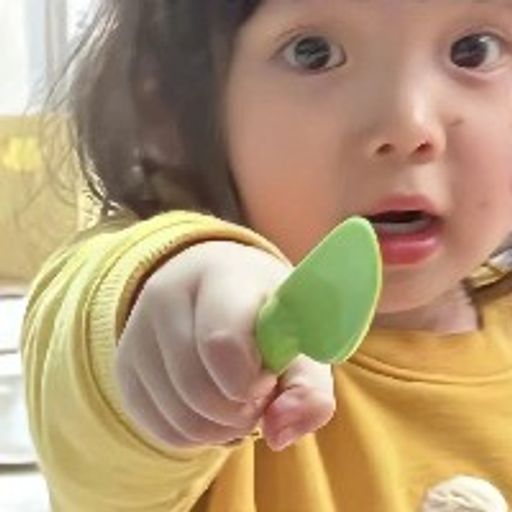


Google Photos Launches AI-Powered Me Meme Feature to Transform Selfies into Custom Meme Pictures
Google has recently introduced an exciting new experimental tool called ‘Me Meme’ on both Android and iOS, enabling users to effortlessly convert selfies into personalized meme pictures through advanced generative AI technology. The feature taps into Google Photos’ robust AI capabilities to deliver an intuitive and creative experience for mobile users.
How the Me Meme Tool Creates Custom Meme Pictures
The functionality is straightforward and user-friendly. Users can select from official meme picture templates or upload their own reference images to establish the desired meme style. After choosing a well-lit, clear frontal portrait from their photo gallery, the AI generates a custom meme picture tailored to their preferences. Beyond creation, users have full control over their results—the generated meme pictures can be edited for fine-tuning, saved directly to the gallery, regenerated for alternative versions, or instantly shared across social platforms.
Gradual Rollout and Feature Integration
Currently, Google is progressively expanding the ‘Me Meme’ feature to users across the United States, though the company has remained tight-lipped regarding the full scope of availability and long-term expansion strategies. This innovative tool sits within the broader suite of AI creation tools nestled under the Create tab in Google Photos, reflecting Google’s ongoing commitment to integrating artificial intelligence into everyday photo management and creative expression.